 Most repairs done in under an hour
 Free IT assessment
 Talk to a real person
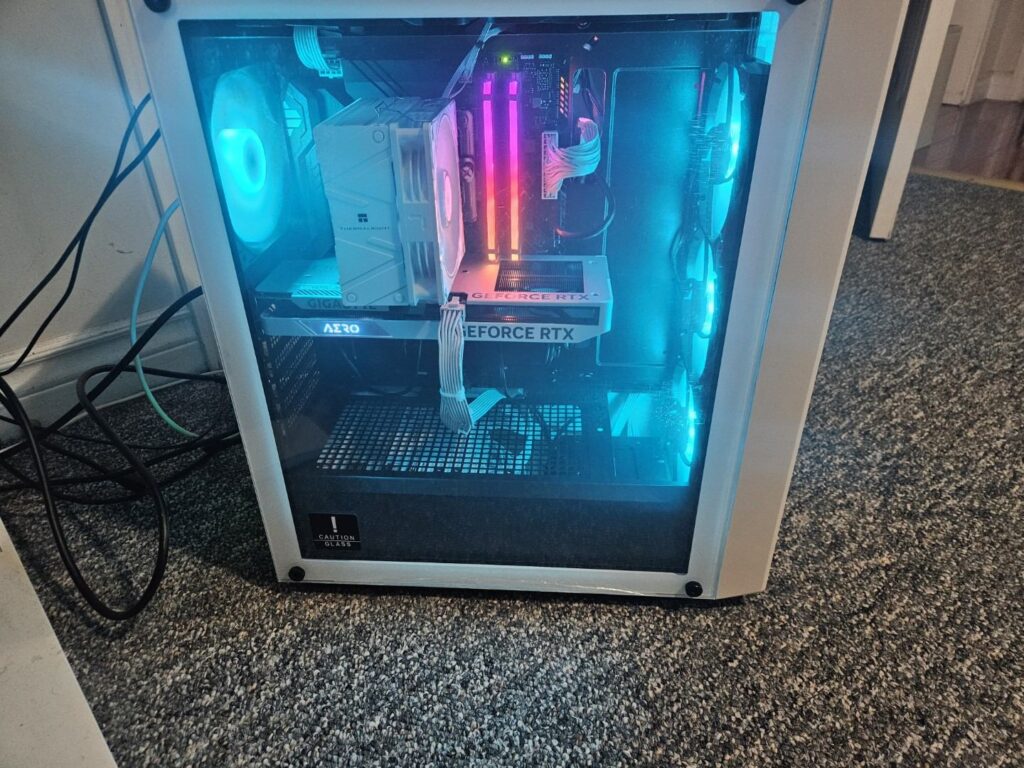
A prebuilt gaming PC can be good value, but many save money on the parts that are not in the headline: the power supply, motherboard, memory configuration and cooling. A custom build lets you choose every part, avoid bottlenecks and plan upgrades.
- Check the exact power supply model, not just the wattage.
- Look for dual channel memory (two sticks), not one.
- Stock coolers and few case fans often mean loud, hot systems.
- Custom builds are easier to upgrade later.
Where prebuilts and custom builds really differ
| Part | Typical budget prebuilt | Good custom build |
|---|---|---|
| Power supply | Unbranded or basic, exact model often not listed | Reputable brand, 80 Plus Gold or better |
| Memory | Sometimes a single stick (single channel) | Two matched sticks (dual channel), tuned |
| Motherboard | Basic board with limited upgrade options | Chosen for the processor and future upgrades |
| Cooling | Stock cooler, one or two fans | Cooler and fans picked for noise and temperature |
| Storage | Sometimes a slower or smaller SSD | Fast NVMe sized for your games |
| Software | Trial software preinstalled | Clean Windows install |
How to read a prebuilt spec sheet
Headline specs, the graphics card and processor, are usually accurate. The details below the fold are where the differences hide.
- Find the exact power supply model. If it is not listed, ask. Wattage alone tells you little.
- Check memory configuration. 16 GB as 2 x 8 GB is dual channel. 1 x 16 GB is single channel and slower.
- Look up the motherboard. Check it supports the features you want and has room for upgrades.
- Count the fans. A high end graphics card in a case with one fan will run hot and loud.
- Check the SSD. NVMe is faster than SATA. Look for at least 1 TB for modern games.
Why single channel memory hurts
Processors talk to memory over two channels. With one stick, half of that bandwidth goes unused. In processor heavy games this can cost noticeable frame rate and cause stutter. Adding a matching second stick fixes it.
When a prebuilt makes sense
- You find a sale with a well documented power supply and dual channel memory.
- You want the convenience of a single warranty from one manufacturer.
- You need a PC today and cannot wait a few days for a build.
When a custom build makes sense
- You care about noise, temperatures and looks.
- You want to upgrade the graphics card or processor later.
- You have specific games, streaming or creative work in mind.
- You want a parts list with a reason for every choice.
Already bought a prebuilt? Simple upgrades
Many prebuilts improve a lot with a few changes: a second memory stick, extra case fans, a better cooler or a quality power supply. We can check yours and tell you which upgrade makes the most difference.
Quick answers
Are prebuilt gaming PCs bad?
No. Many are fine. The key is checking the parts that are not in the headline specs.
Is a custom build more expensive?
At the same graphics card, a custom build is often similar in price but uses better supporting parts.
Can you upgrade my prebuilt?
Yes. Memory, cooling, storage and power supply upgrades are common.
How long does a custom build take?
Usually three to seven days, including stress testing.
Weighing up a gaming PC?
Send us the prebuilt you are looking at, or your budget, and we will compare it honestly with a custom build.