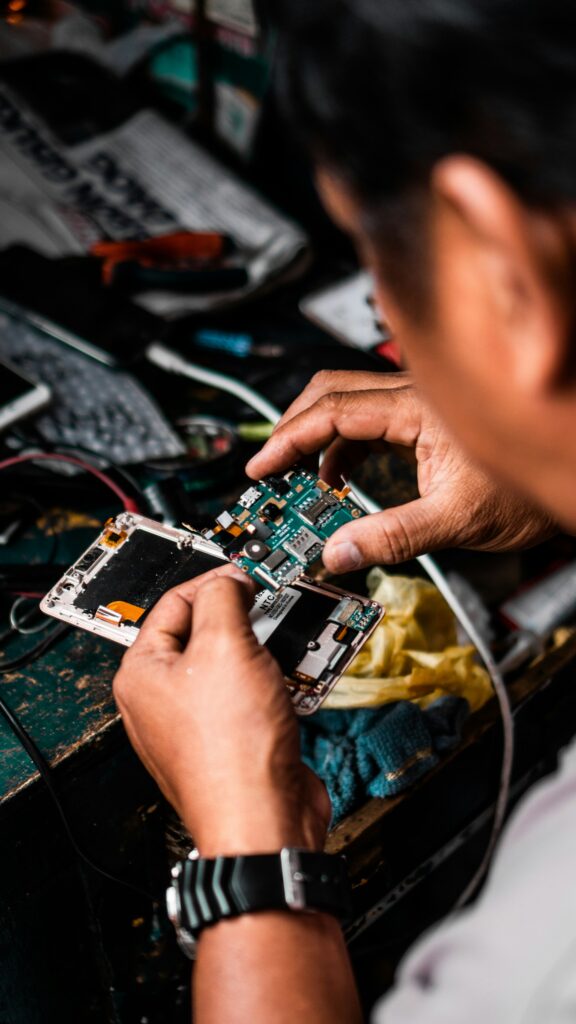
 Most repairs done in under an hour
 Free IT assessment
 Talk to a real person

Most slow laptops are slowed down by an old hard drive, too many startup apps, overheating, a nearly full drive or malware. The biggest single speed up for an older laptop with a hard drive is an SSD upgrade, which can make it boot and open apps several times faster.
- Check whether your laptop has a hard drive or SSD first.
- Clear startup apps and free up at least 15 percent of the drive.
- Dust and dried thermal paste cause overheating and throttling.
- If it runs Windows 10, plan for Windows 11 or a replacement.
First, find out if you have a hard drive or an SSD
On Windows, open Task Manager, go to Performance, and click your disk. It will say HDD or SSD. Or open Defragment and Optimize Drives and look at the Media type column.
If your laptop still uses a spinning hard drive, that is almost certainly the main reason it feels slow.
Nine fixes for a slow laptop
- Restart it properly. Updates often wait for a restart. A full restart clears memory and finishes pending updates.
- Trim startup apps. Task Manager, Startup apps. Disable anything you do not need the moment you log in.
- Free up space. Keep at least 15 percent of the drive free. Use Storage Sense to clear temporary files.
- Uninstall what you do not use. Trial software and old utilities run in the background.
- Update Windows and drivers. Settings, Windows Update, including optional driver updates.
- Check for malware. Run a full Microsoft Defender scan. Fake pop ups and toolbars slow everything down.
- Check the browser. Too many extensions and tabs eat memory. Remove extensions you do not recognise.
- Fix overheating. If the fan roars and the base is hot, dust and old thermal paste are making it throttle.
- Upgrade the drive or memory. An SSD and, where possible, more RAM make the biggest difference.
Is an SSD upgrade worth it?
For a laptop with a hard drive, almost always. Boot times drop from minutes to seconds and apps open much faster. We clone your existing drive, so everything is exactly where you left it.
| Hard drive | SSD | |
|---|---|---|
| Boot time | Often a minute or more | Usually well under 30 seconds |
| Opening apps | Slow, lots of waiting | Fast |
| Durability | Moving parts, sensitive to drops | No moving parts |
| Battery life | Uses more power | Uses less power |
| Noise | Audible clicking and spinning | Silent |
An SSD upgrade with your data moved over is $129 plus the drive at our shop.
Do you need more memory?
If you keep lots of browser tabs open or use heavy apps, 8 GB can feel tight. 16 GB is a comfortable amount for most people today. Many thin laptops have memory soldered to the board, so we check whether yours can be upgraded first.
Overheating and loud fans
Dust clogs the fan and heatsink, and the thermal paste between the processor and cooler dries out over a few years. The laptop throttles to protect itself, which feels like slowness. A proper clean and fresh paste usually brings temperatures and speed back.
Still on Windows 10?
Microsoft ended Windows 10 support in October 2025, so it no longer receives security updates. If your laptop meets the Windows 11 requirements, upgrading keeps it secure. If it does not, it may be time to replace it, and we will tell you honestly which makes sense.
When it is time for a new laptop
- It cannot run Windows 11 and you need a supported system.
- The repair or upgrade costs more than half a comparable new laptop.
- The battery, screen and keyboard are all failing.
- It is too slow for your work even with an SSD and more memory.
Quick answers
How much faster is an SSD?
On a laptop with a hard drive, boot and app load times often drop dramatically. It is the most noticeable upgrade most people can make.
Will I lose my files with an SSD upgrade?
No. We clone your drive so everything stays as it was.
Can you clean my laptop?
Yes. A clean and repaste brings down temperatures and noise.
How long does an SSD upgrade take?
Usually the same day.
Slow laptop in London?
Bring it in for a free diagnosis with any repair and we will tell you exactly what will help.